 gantree
Install — home Mini or cloud VM
Same console. Same files. Agents still open zero inbound ports. Only this UI is reachable, and only through a path you chose.
Harness image pin: shotah/ai-gantry:latest (Hub). Nested repos/ai-gantry is
dev only — do not copy .env or data/ from a private checkout.
Home (Mini / NUC)
Docker on the box. Cast / life-cast is allowed (mDNS, TV on the LAN).
Need Node 22 (node -v). Distro apt install npm is often Node 20 and
will fail. Headless host, attach existing agents, tunnel, gotchas:
headless.md. What the board is for:
console.md. Login, profile, settings:
operators.md.
git clone https://github.com/shotah/gantree.git
cd gantree
cp gantree.toml.example gantree.toml
npm install
npm run build
npm start          # http://127.0.0.1:3000 — first boot is /setup
# or Hub / compose (LAN :80 → container :3000):
docker compose up -d
Open the board at http://<pc-lan-ip>/ or
http://<headless-lan-ip>/ (compose). Create the first operator, then
build a crane (yard = home). npm start stays :3000. Grant search.
Default mouth is the pendant. Deploy gantry-pendant code to
Workers (that repo’s CI). Then this board: Settings → Pendant (Google +
Cloudflare token — access.md), Build
(channel defaults to pendant), tick operators (email is enough),
recreate. The yard mints the bearer — do not paste from wrangler. The
yard cookie never goes to that Worker. The crane .env is the human
list; Worker ALLOWED_SUBS is optional break-glass. GCP OAuth client is
a Web application (JS origin + /api/auth/callback/google) — table:
access.md. Walk:
operators.md ·
manage_pendant_cf_todo.md ·
gantry-pendant setup.
Telegram is still a mouth if you already have a bot. Existing Telegram
crane → pendant (same gantry.db):
channel_migration_doc.md.
Local screenshots / npm run dev: GANTREE_DEV=1 plus operator + passphrase
in .env (.env.example). Loopback only — compose
HOST=0.0.0.0 ignores the flag. Unset it to photograph /login. Details:
security.md · operators.md.
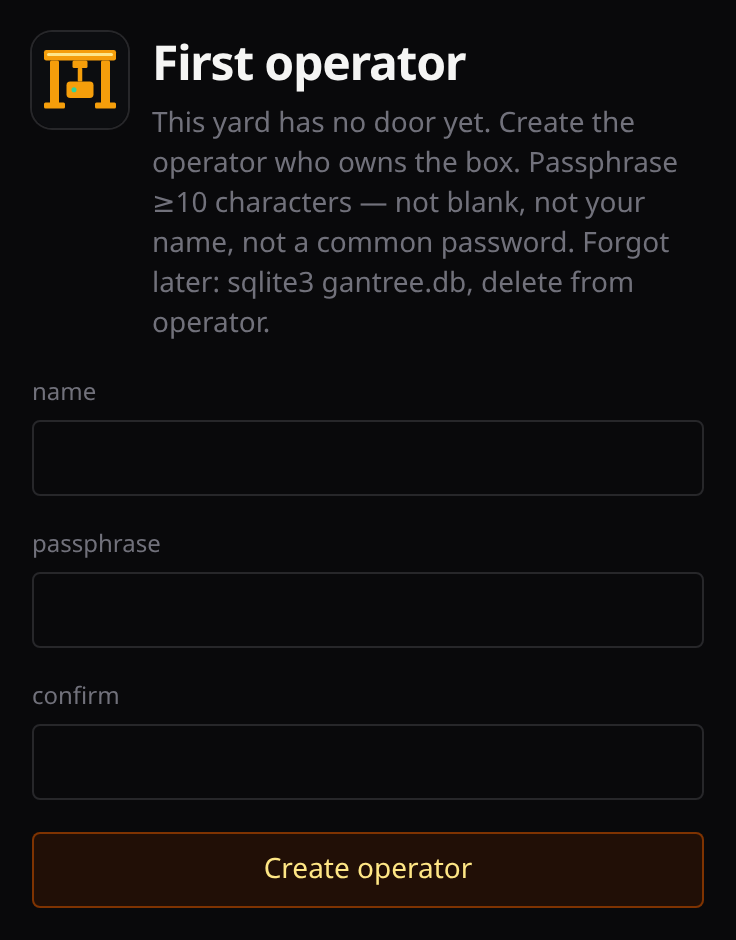
Sessions live in gantree.db next to the checkout (compose: var/gantree.db).
That file is the yard’s sqlite — not a crane’s data/gantry.db. Forgot the
passphrase: delete it and run /setup again. Add a partner from Settings
(the cog) after login (admin / user or readonly on assigned cranes). Your photo and
passphrase are Profile. People walk: operators.md. What
the door checks: security.md. A partner who only updates
keys is user on their crane; they hit compose :80, not
gantree :3000 on the host.
A public hostname is a different file. Prefer Cloudflare Tunnel if the zone is already on Cloudflare (no WAN ports, orange cloud is fine):
# .env: CLOUDFLARE_TUNNEL_TOKEN=...
docker compose -f compose.cloudflare.yml up -d
Dashboard public hostname origin: http://gantree:3000. Login is still
gantree’s door. Recommended Cloudflare settings:
protections.md.
Origin TLS on this box (grey-cloud DNS, router 80 and 443):
compose.nginx.yml + GANTREE_DOMAIN / LETSENCRYPT_EMAIL. Do not mix
the two hostname files.
Cloud (your GCE / EC2)
Still your machine. Layout in the spirit of
ai-gantry examples/hosting
(/opt/gantree, compose, Hub pull). life-cast is hidden.
sudo mkdir -p /opt/gantree
sudo git clone https://github.com/shotah/gantree.git /opt/gantree
cd /opt/gantree
cp gantree.toml.example gantree.toml
# gantree.toml: yard = "cloud"
GANTREE_LISTEN=127.0.0.1 docker compose up -d
On a cloud VM pin the publish to loopback (GANTREE_LISTEN=127.0.0.1).
The process inside still listens on 0.0.0.0 so the port map works; that
is not a public load balancer. Do not open a cloud firewall port to the
world. A public hostname on Cloudflare: compose.cloudflare.yml (no WAN
ports). Origin TLS on the VM: compose.nginx.yml.
Reach it from a laptop:
Tailscale (preferred): install Tailscale on the VM, then Serve or an
SSH tunnel to 127.0.0.1:80 (compose). Do not open a cloud firewall port
to the world.
ssh -N -L 3000:127.0.0.1:80 user@host
Cloudflare Tunnel (console only — never the agents):
compose.cloudflare.yml + CLOUDFLARE_TUNNEL_TOKEN in .env, origin
http://gantree:3000. Recommended Cloudflare settings:
protections.md. Quick tunnel without compose:
cloudflared tunnel --url http://127.0.0.1:80
OAuth is always the laptop hop: needs auth → start hop or /auth in
Telegram → paste the code on the Tools screen.
Agents have no ports: in their compose. Do not add any.
A server that is not on the Tools grid: hand-edit that crane’s mcp.toml
(custom MCP).
Image pin
New cranes use shotah/ai-gantry:latest (DEFAULT_IMAGE in lib/yard/types.ts
— that is the only place the tag lives). pull + recreate refreshes the
floating tag. Override a crane with a 0.x.y tag only if you need to freeze.
pull + recreate runs docker pull then replaces the container as the
host user that owns data/ (file owner, then the compose shell UID).
Distroless default uid 65532 cannot open a gantry.db written by your
login — that is session store open failed. Recreate without pull keeps that
uid too; it does not fetch a new image. Do not delete data/ or re-import.
Console-in-Docker (sock + same-path binds for attached agents):
headless.md. Uncomment the volume in
compose.yml when gantree.toml uses absolute host paths.
Hub image: shotah/gantree (latest / edge / 0.x.y). Same secrets as
ai-gantry on this GitHub repo: DOCKER_HUB_USERNAME, DOCKER_HUB_ACCESS_TOKEN.
Release
No Makefile. This repo is npm.
npm test
npm run release:dry          # show next tag
npm run release              # patch bump, tag v*, push → Hub + GH Release
npm run release -- --bump=minor
Requires a clean tree. Updates package.json / lockfile, annotated vX.Y.Z,
moves floating git tag latest, pushes. CI builds linux/amd64 only.