 gantree
Headless host — first boot + attach existing agents
Gantree is not a downloadable bin. Clone it onto the Docker host,
npm run build, npm start. Default bind is 127.0.0.1:3000. Chat is
the pendant.
This page is the operator walk (Node 22, attach existing dirs, SSH tunnel). Stranger hello: install.md. Board walk: console.md. Login, profile, settings: operators.md.
Do not
sudo apt install npm— distro Node is often 20. Vinext needs 22.- Bind
0.0.0.0on a cloud VM or open the port on a WAN firewall. - Run the process as root to grab port 80.
- Run
npm audit fix --force. npm install-scripts approve *— bash expands*to files in cwd.- Type
vinexton the shell — it is not onPATH. Usenpm run …. - Start the same Telegram bot on two machines (one
getUpdatesper bot). - Copy a laptop
data/over the host. Live OAuth is on the host. - Build a crane for a slug that already has a
data/— that writes a new empty dir. - Run Gantree as root (
sudo npm start) — recreate would then skip a host uid. - Set
GANTREE_DEVorGANTREE_SHOTin compose.HOST=0.0.0.0ignores both; do not get in the habit. Loopback auto-login and the screenshot Docker paint are fornpm run devonly (security.md). - Forget the rootless socket on Arch / SteamOS. System
/var/run/docker.sockis often missing; tryDOCKER_SOCKET=$XDG_RUNTIME_DIR/docker.sock(or the podman sock). For photographs with no daemon:npm run seed+GANTREE_SHOT=1(console.md). - Point
gantree.tomlat absolute host dirs and run compose without the same-path volume — the board still sees Docker; persona andmcp.tomllook empty.
1. Node 22 (on the host)
sudo apt remove -y nodejs npm
sudo apt autoremove -y
curl -fsSL https://deb.nodesource.com/setup_22.x | sudo -E bash -
sudo apt-get install -y nodejs
node -v    # must be v22.x
npm -v
Do not apt install npm after this.
2. Clone
sudo mkdir -p /opt/gantree
sudo chown "$USER:$USER" /opt/gantree
git clone https://github.com/shotah/gantree.git /opt/gantree
cd /opt/gantree
cp gantree.toml.example gantree.toml
3. Attach agents that already exist
Leave each crane’s directory where it is. Point inventory at it.
Check names with docker ps (container must match).
yard = "home"

[[gantry]]
slug = "kit"
container = "kit"
data_dir = "/opt/agents/kit/data"
persona_dir = "/opt/agents/kit/persona"
mcp_manifest = "/opt/agents/kit/mcp.toml"
env_file = "/opt/agents/kit/.env"
Repeat one [[gantry]] block per agent.
Catalog is a menu. Enabled = that crane’s mcp.toml. .env stays theirs.
Do not use the Build wizard for these slugs.
npm start on the host can read those paths as-is. Compose only mounts
./gantries by default — uncomment the same-path volume in compose.yml
so /opt/agents exists inside the console (§8).
4. Install JS deps
cd /opt/gantree
npm install
If npm 11+ warns install-scripts / allowScripts, approve by name
(not *):
npm install-scripts approve cpu-features
npm install-scripts approve esbuild
npm install-scripts approve protobufjs
npm install-scripts approve ssh2
npm rebuild
Those four are dockerode / vite native bits. Without them, Docker or the build will fail later.
5. Build, then start
Production start needs dist/. Background with nohup (already on the box):
cd /opt/gantree
npm run build
HOST=0.0.0.0 nohup npm start > gantree.log 2>&1 &
disown
Logs: tail -f gantree.log. Stop: pkill -f "vinext start".
You want in the log: Production server running at http://0.0.0.0:3000
| Error | Fix |
|---|---|
does not provide an export named 'glob' |
Node 20. Redo step 1. |
No build output found in …/dist |
npm run build then npm start. |
vinext: command not found |
npm run build / npm start. |
EACCES / Docker socket |
add user to docker group, log out/in. |
6. Open it from another machine
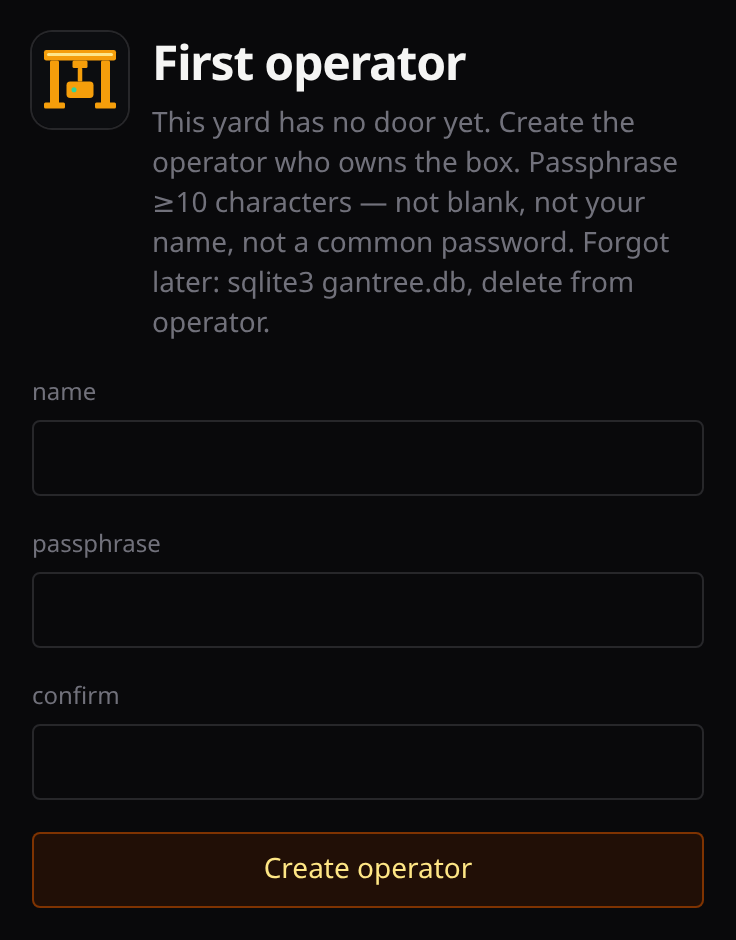
The UI has a login. First boot is /setup (one operator). Sessions
live in yard gantree.db (compose: var/gantree.db) — not a crane’s
data/gantry.db. Whoever logs in has a role — admin is full access,
user or readonly is assigned cranes (only admin sees every crane). Forgot the passphrase: stop, delete
that sqlite file, start, run setup again. No email reset. People walk:
operators.md. What the door checks:
security.md.
Home LAN only (no WAN port forward): listen on all interfaces.
Compose publishes host :80. npm start stays :3000.
# stop the old foreground npm start first (Ctrl-C), then:
HOST=0.0.0.0 nohup npm start > gantree.log 2>&1 &
disown
Browser: http://<host-lan-ip>:3000 (npm start) or
http://<host-lan-ip>/ (compose). Create the operator, then use the board.
Skip binding port 80 as root. Do not run this app as root (docker.sock).
Not on the LAN / cloud VM: leave the default 127.0.0.1 bind
(GANTREE_LISTEN=127.0.0.1 for compose). Login is defense in depth,
not a reason to open a WAN firewall port.
ssh -N -L 3000:127.0.0.1:3000 user@host   # npm start
# compose publishes :80, not gantree :3000 on the host:
ssh -N -L 3000:127.0.0.1:80 user@host
Browser: http://127.0.0.1:3000. Tailscale Serve to that same loopback is the other path. Never open 3000 (or 80) on a cloud firewall.
7. Day one — look only, then pin
You should see one card per [[gantry]]. Click → logs / doctor.
Start / stop still talks to the existing container. Recreate / pull + recreate now keep:
user— owner ofdata//gantry.db, then the compose shellUID, never Distroless65532network_mode(host for Cast)- extra binds (sound, extra mounts)
Do not uncheck Tools on day one. Do not use Build for a slug that
already has data/.
session store open failed after an old recreate
Older Gantree dropped user:. The image default is uid 65532; gantry.db
is owned by your login (e.g. 1000). Persona mounts read-only-enough to load;
SQLite cannot create WAL files. Docker restarts the crash.
- Rebuild this console (
npm run build, restartnpm start— ordocker compose up -d --build). - On that crane: recreate (or pull + recreate). Notice should say
as 1000:1000(the owner ofgantry.db, not Distroless). - Logs should show
session store ready, notsession store open failed.
Still looping: docker inspect <name> --format '{{.Config.User}}' must match
ls -ln data/gantry.db. Do not chown data/ to 65532 — that strands
.config/ OAuth too.
8. Console in Docker
Yes. Compose already mounts docker.sock, so Gantree can inspect / start /
recreate sibling agent containers. Chat stays on a mouth. Agents still
open zero ports.
The console container is usually root (needs the socket). Crane uid is
inferred from data/ / gantry.db, then from the user who ran compose
(shell UID, or SUDO_UID if you sudo). You do not pass id -u. Do not
tear down agents — recreate keeps data/, persona, and mcp.toml.
docker compose pull
docker compose up -d
# or build this checkout:
docker compose up -d --build
gantree.toml paths are resolved inside the console container. Relative
./gantries/<slug> works (that dir is mounted at /app/gantries). The
yard corkboard is ./boards → /app/boards so recreate can bind it into
cranes. Recreate rewrites those to host paths via GANTREE_HOST_ROOT
(compose sets it to PWD — run docker compose from this checkout).
Absolute attach paths must exist at the same path in the console.
compose.yml has a commented volume next to the others — uncomment it and
match the inventory prefix:
# compose.yml
# - /opt/agents:/opt/agents
data_dir = "/opt/agents/kit/data"
persona_dir = "/opt/agents/kit/persona"
mcp_manifest = "/opt/agents/kit/mcp.toml"
env_file = "/opt/agents/kit/.env"
Without that mount the board can still see Docker: CPU/RAM, uptime, and
model/channel from container env. Persona and mcp.toml stay empty — those
are file reads, not inspect. The crane .env form can look populated for
the same reason. Recreate cannot bind /opt/agents/kit/data either.
Start / stop does not add missing binds. After the volume is up, recreate
each attached crane so persona and mcp.toml land in the agent.
Missing GANTREE_HOST_ROOT bind-mounts /app/gantries/… on the host — the
crane then has no mcp.toml and no data/.config.
Home LAN: compose publishes host :80 → container :3000
(http://<headless-lan-ip>/). Cloud VM: GANTREE_LISTEN=127.0.0.1 — do
not open a WAN firewall port.
Backup vs tokens
A DB snapshot (gantry.db + SELF.md) is not OAuth. Tokens live under
data/.config/ on the host. A laptop copy without that tree cannot stand
the bots up. Do not rsync laptop data/ over the host.
Telegram: one getUpdates per bot. Do not start the same bot in two places.
Keep it running
Stop: pkill -f "vinext start". After git pull: npm install → npm run build → the nohup npm start line in step 5.